Change your app
Ask for new features and fixes, take a change back, and what Athena remembers between requests.
Once your app is live, ask for changes in the same box, such as a new page, a field you forgot, a report or a different layout. Each request is tested and deployed the same way as the first.
Maya asked for a shopping list to take to the flower market:
Add a shopping list page with everything that's running low, so I can print it and take it to the flower market.
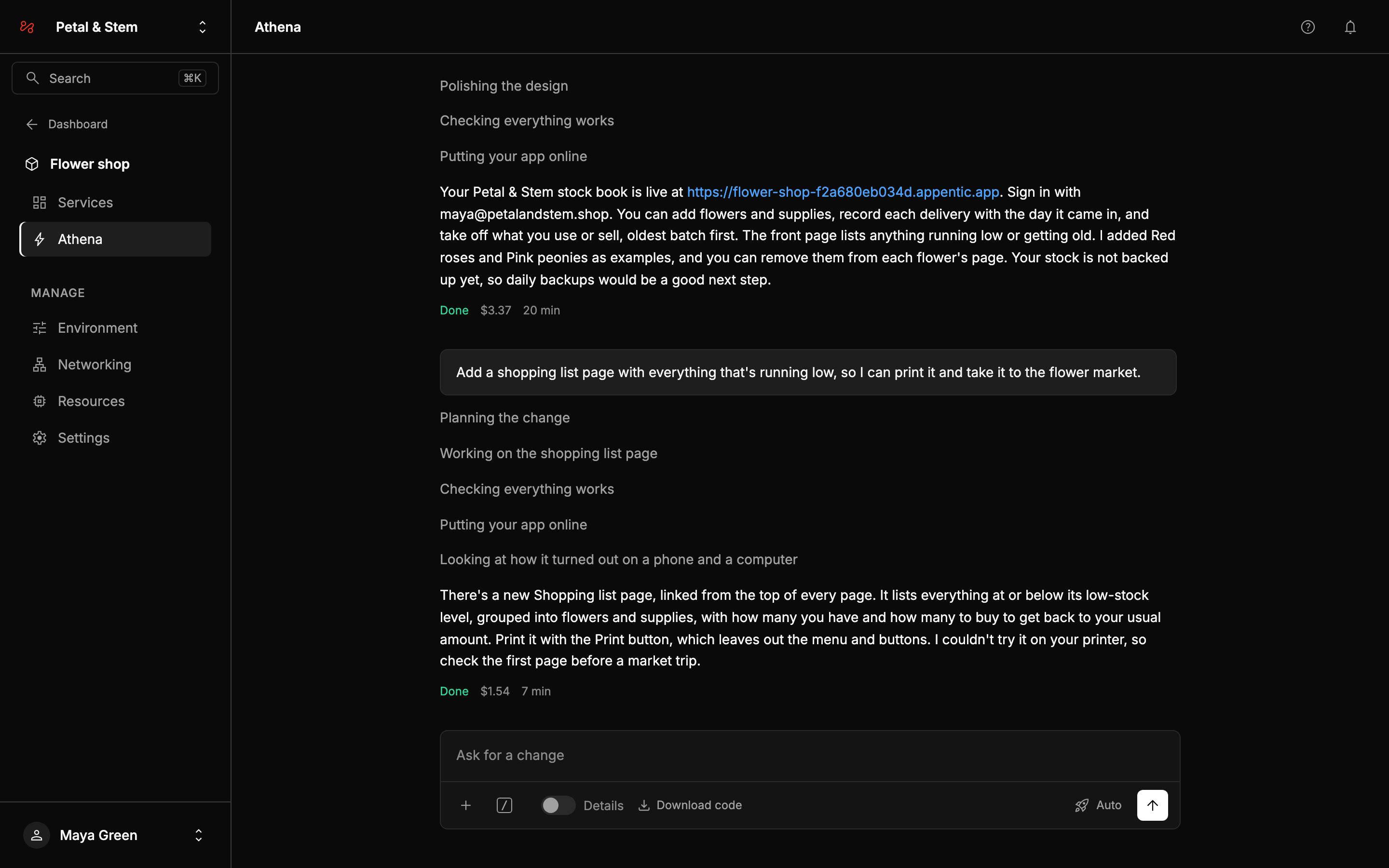
Athena said where to find the page and what's on it. It also said what it hadn't been able to check itself, which was printing on Maya's own printer.
What Athena remembers
Athena remembers your recent requests and what it answered. It also works from:
- your app's code as it is now, so it builds on what exists rather than starting again
- the app's plan, a short description of what the app is for and how it looks, which it writes and keeps up to date
- the pictures, files and links you attached, which it keeps with your app
When you start on something unrelated, type /clear to start a new conversation. Athena keeps the app, its plan and your attachments.
Only what you asked for
Athena changes only what your request is about, and leaves the rest of the app as it is. To have the whole app's design looked at, type /polish.
Take a change back
If you don't like what a request did, type /undo. It first says what it will do, with a Take it back button. The version from before the request goes back online without a rebuild, and its code is restored, so Athena's next request starts from it. Anything people added in the app since, such as new stock, stays. Send it again to go back further.
When something is broken
Tell Athena what you see, in your own words:
Adding a delivery shows an error since this morning.
It reads the app's recent deploys and logs, finds the cause, fixes it, checks the app still passes its tests, and deploys the fix. You don't need to find the error first. /fix followed by what you see asks for exactly that.
To find out whether everything still works without changing anything, type /check.
Changes made outside Athena
A developer can take the code and run it themselves. Changes they make can't come back to Athena yet. See Your code.
Changes you make on the project's pages stay as you set them. The next time you ask, Athena is told what changed since its last request, such as a deleted worker or a resized database. It builds on your changes rather than undoing them. The exception is a variable Athena manages for the app, which it may set back. See Your app's pages.
Asking for something big
Big changes work best as a few requests. "Add online ordering with payments and delivery slots" is three features. Ask for one, check it, then ask for the next. Each request is cheaper, and you see progress sooner.
To see a plan before anything is built, or to approve each change before it goes live, see Modes.
Show it what you mean
A screenshot of a design you like says more than a description. Attach it with +, or paste it into the box, and say what to take from it. See Attachments, commands and dictation.