Build an app
Your first request to Athena, from describing the app to using it.
This page follows one real first request. Maya runs a flower shop called Petal & Stem, and asks Athena for a stock book.
Before you start
- A new project. On the dashboard, click New Project, give it a name and click Create Project. It doesn't need a machine or any services, because Athena creates what the app needs. The project's name becomes the start of the app's address, such as
flower-shop.appentic.app. - Credits. Athena's work, and the machine and services it creates, are paid from your credit balance. See Costs.
Describe the app
Open the project, choose Athena in the sidebar, and type what you want in the box at the bottom. Press Enter to send and Shift+Enter for a new line. You can also dictate, and attach pictures of designs you like. See Attachments, commands and dictation.
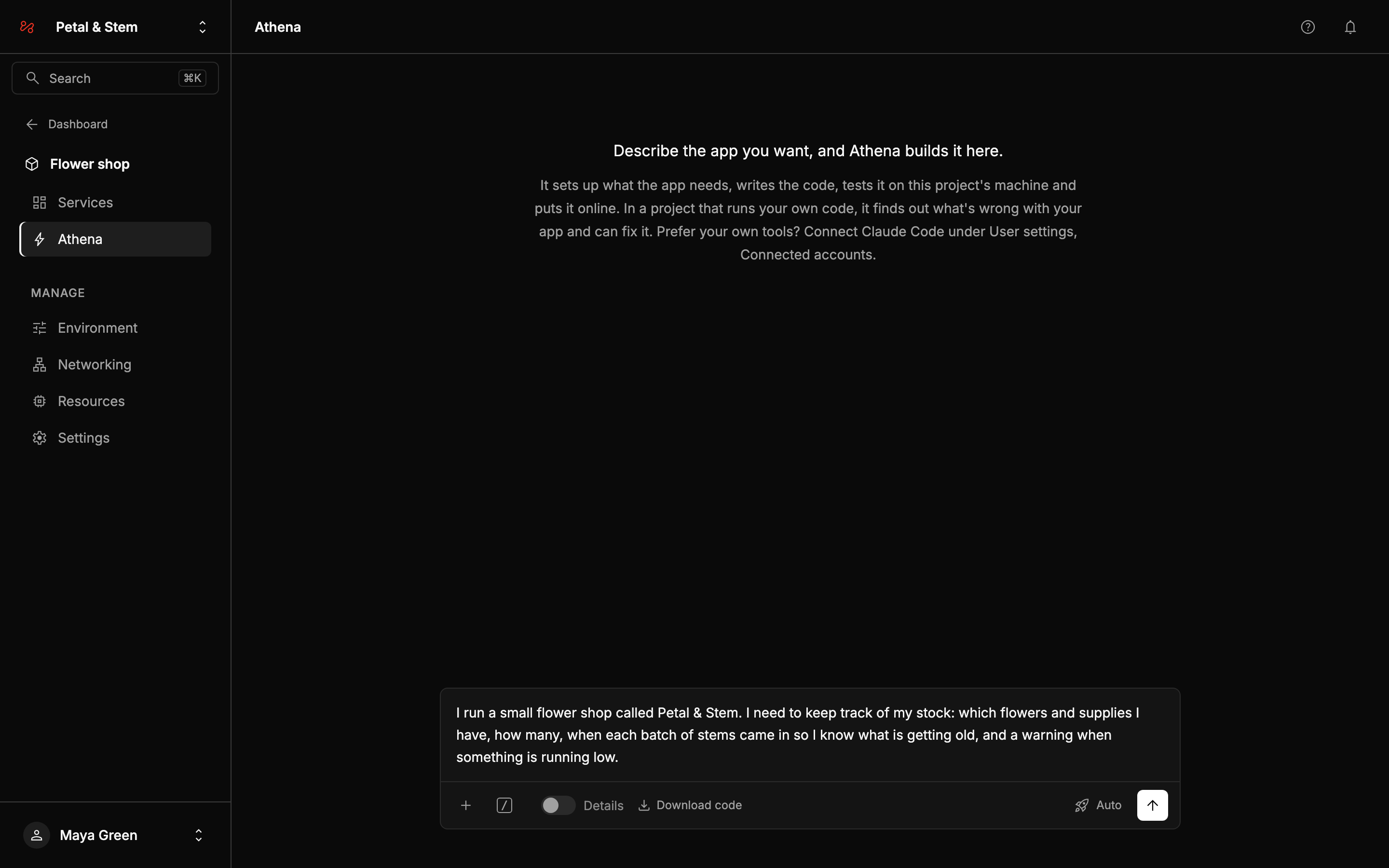
Describe it the way you would to a person you were hiring. Say who uses it, what they do with it and what it needs to keep track of. Maya wrote:
I run a small flower shop called Petal & Stem. I need to keep track of my stock: which flowers and supplies I have, how many, when each batch of stems came in so I know what is getting old, and a warning when something is running low.
You don't need to name technologies or pages.
This page uses Auto, the default, where Athena works without asking. See Modes for the others.
Questions before it starts
If something only you can decide would change what Athena builds, it asks before it starts, up to four questions at once. Maya's request didn't say who would use the app or where warnings should appear, so Athena asked:
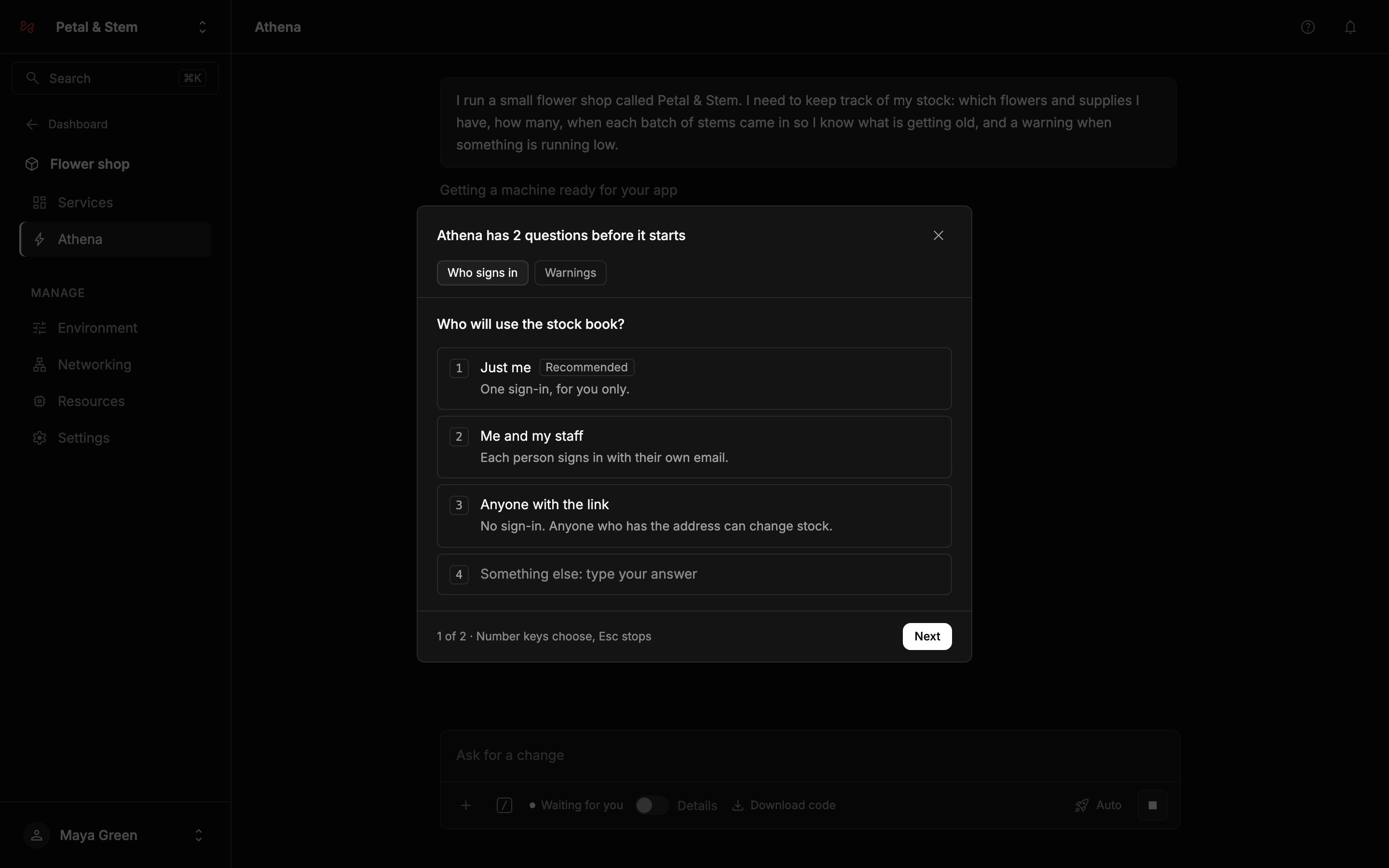
- Each question has a few answers with a line on what each means. The one Athena recommends is marked Recommended.
- Choose one, or several where the question says Choose any that apply, or type your own answer in Something else.
- On a computer, the number keys choose an answer. Choosing one moves on to the next question.
- With several questions, each has a tab. Next becomes Send answers once every question has an answer, and Athena carries straight on.
Closing the questions, with the × or Esc, stops the request, the same as the Stop button.
If you don't answer within 10 minutes, Athena saves where it is and waits. The questions are still there when you come back, and answering them carries on from where it stopped. To start over instead, send a new message.
After your answers, Athena works on its own to the end. It only stops again if it needs something only you have, such as a password for another service. It decides everything else itself and tells you what it decided in its last message. Your answers appear in the conversation, above its steps.
Follow along
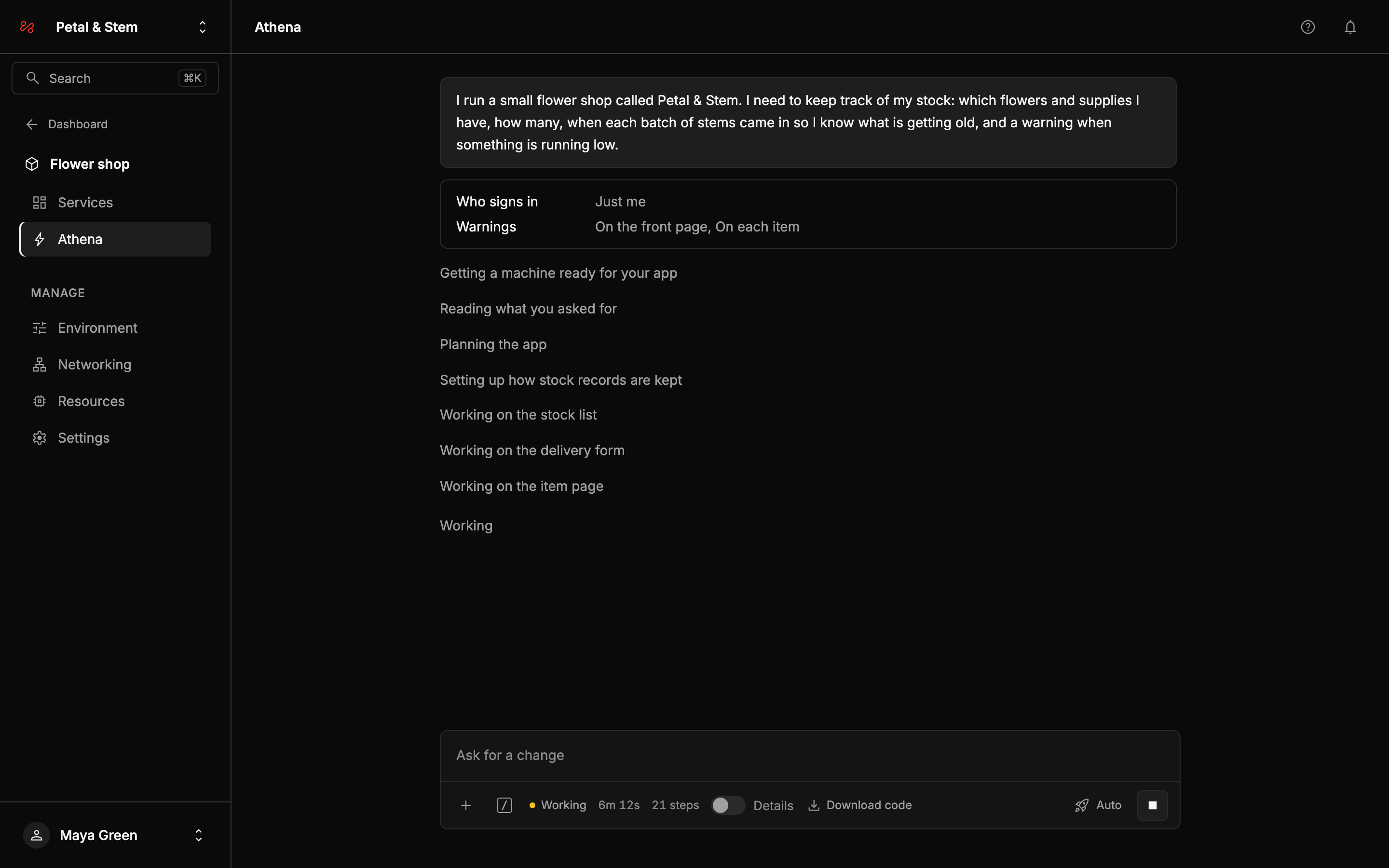
- Each line is a step Athena has started, such as "Setting up how stock records are kept" or "Putting your app online".
- The bar under the box shows Working and how long the request has run, or Waiting for you when Athena needs an answer.
- Turn on Details to see what Athena reads, runs and thinks, with file names and commands. See Details.
You can leave the page. The request carries on, and the conversation is there when you come back.
To stop a request, click the square Stop button in the box. The code Athena had written is kept and your next request carries on from it, but nothing new goes online, so your live app stays as it was. Anything it had created, such as the machine, stays. You pay for the work up to the moment you stopped.
What Athena creates
On the first request, Athena sets up the project:
| Machine | The cheapest machine available in EU-1 that fits your app. It starts, and is billed, from your first request. To use another location or a bigger machine, add one on the Resources page before your first request, and Athena uses it. You can also change it later. |
| Web service | Runs the app, at an appentic.app address named after the project. |
| Postgres database | When the app keeps data, which is nearly always. |
| Storage | When the app takes uploads, such as photos. |
| Background worker | Only when the app does slow work in the background, such as sending many emails or resizing images. It comes with a small store it needs. Most small apps don't need them. |
These are ordinary services, billed the same way as ones you create. See How billing works and Your app's pages.
Athena adds things with a monthly fee of their own, such as database backups or a scheduled task, only when you ask, and tells you the price.
When it's done
Athena finishes with a short message covering what the app does, where it is and how to sign in, the examples it added and what you might want next. Under it, the request shows Done, what it cost and how long it took.
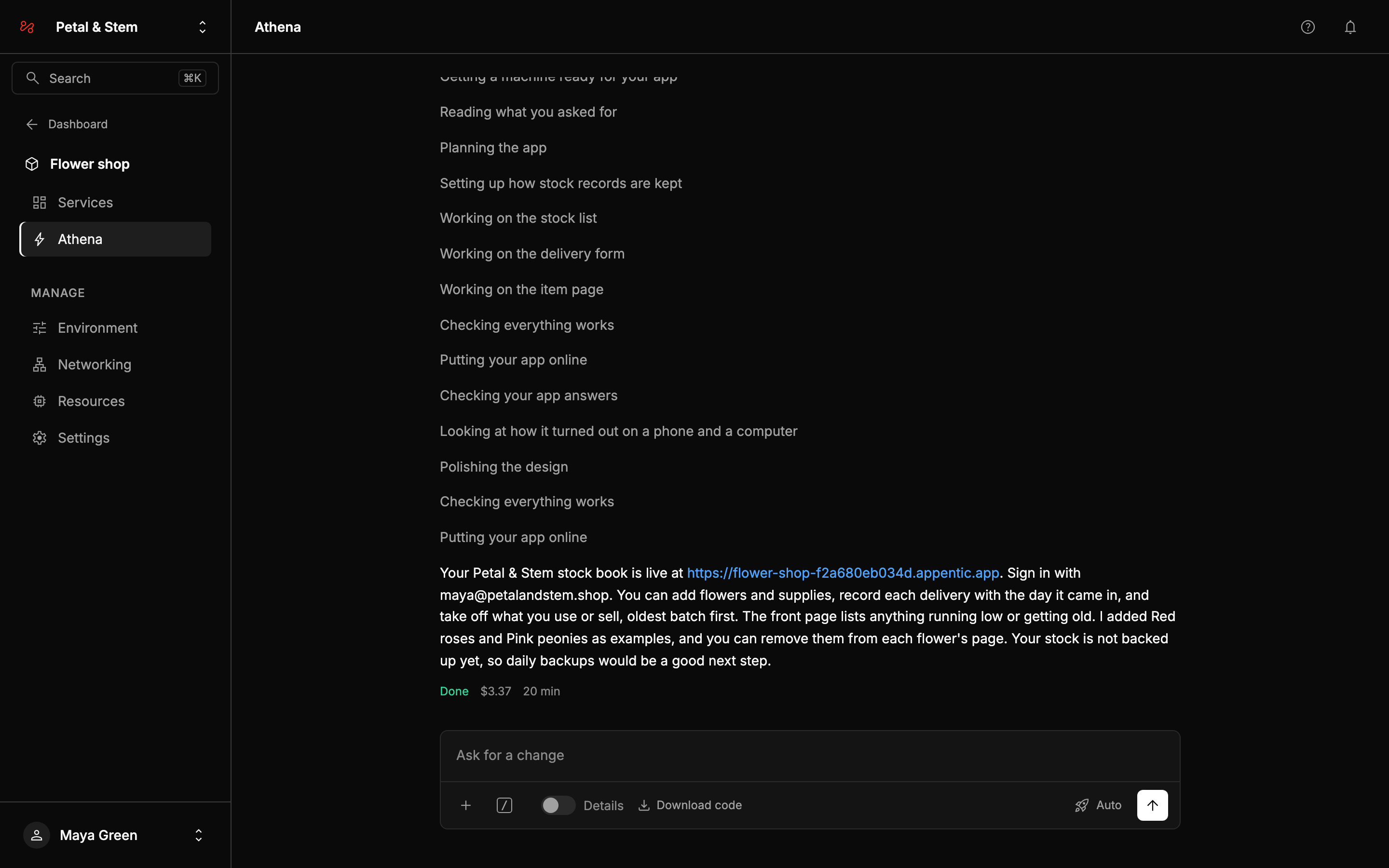
A first build takes longer than later changes, because Athena sets up the machine and writes the whole app.
Your data isn't backed up until you type /backups on. Backups cost a small monthly fee and keep 7 days of restore points.
Open the address to use your app. If it has sign-in, sign in with the email address of your Appentic account. You get a six-digit code by email, and the first sign-in creates your account in the app.
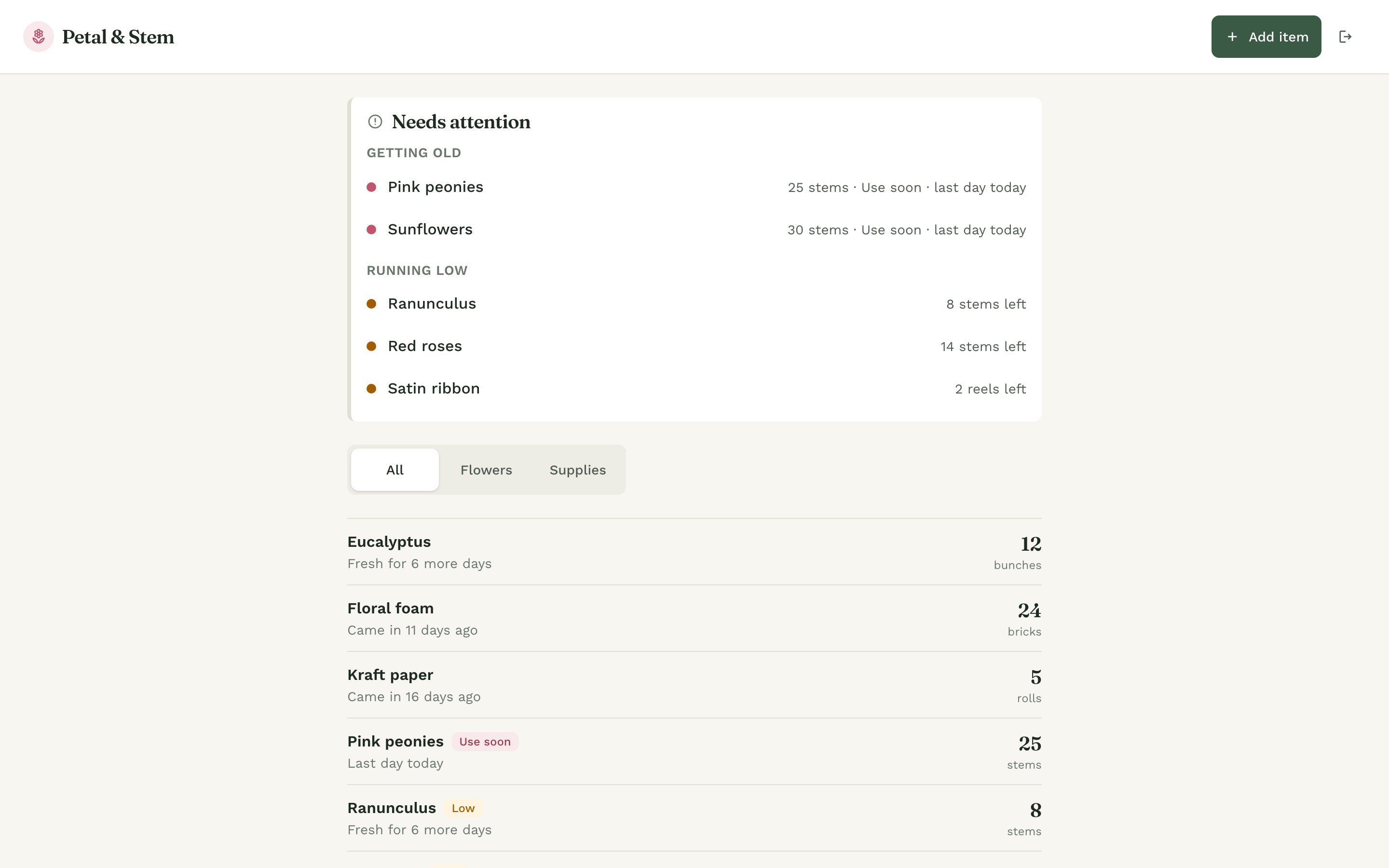
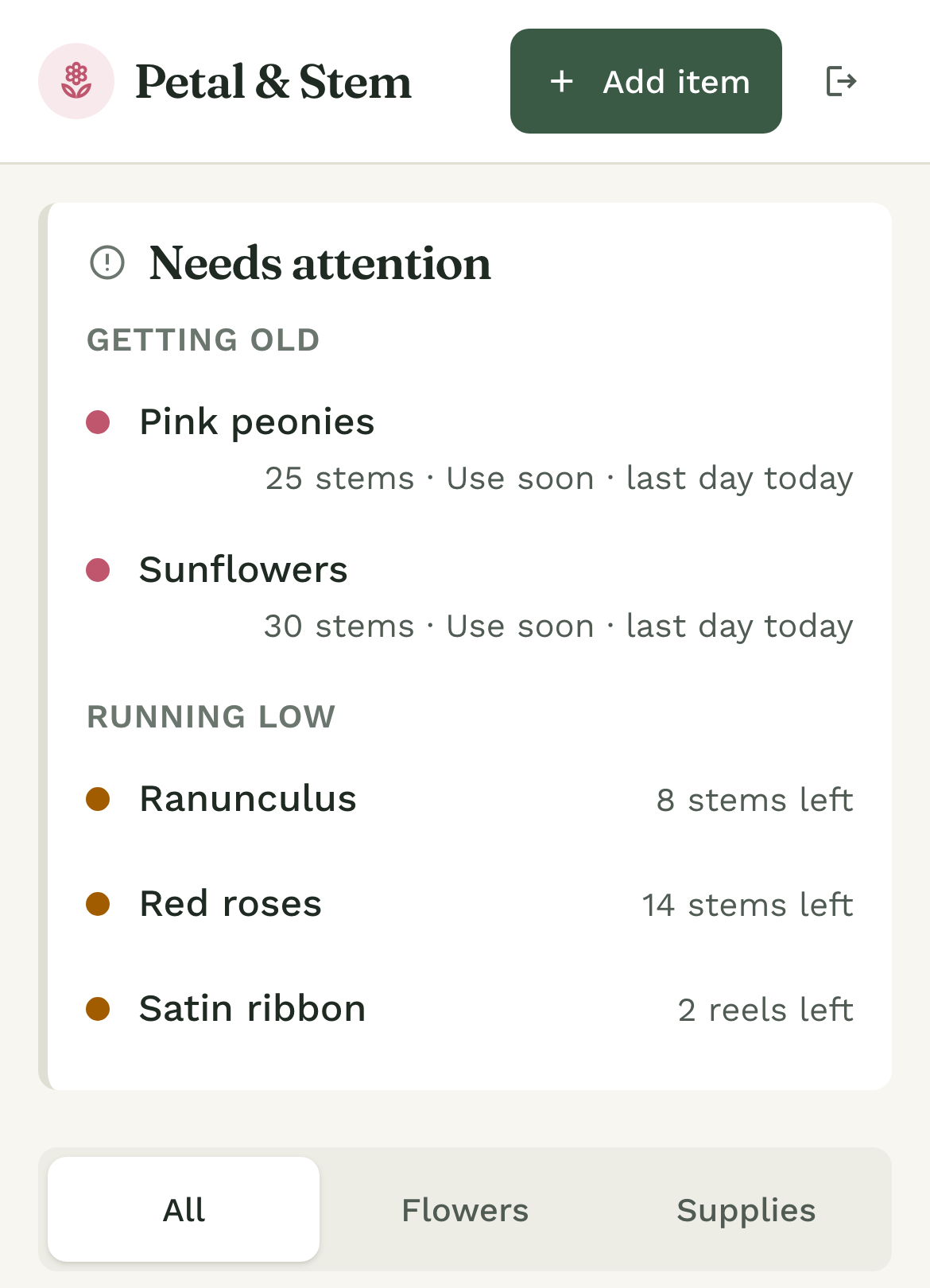
The app works on a phone too:
If it can't finish
If a request can't finish, it shows Could not finish in red, with a line saying why and what to do, such as "Your app isn't online yet. Ask me to carry on and I'll pick up from here." Ask it to carry on and it picks up from where it stopped.